
Creating a professional website quickly and easily in 2025 is more accessible than ever, thanks to a variety of user-friendly platforms and tools. Here’s a breakdown of the most popular methods and steps involved:
Choosing the Right Method (Fast & Easy Options):
For speed and ease, these are your best bets:
- Website Builders (Drag-and-Drop Platforms): These platforms offer intuitive interfaces where you can visually build your website by dragging and dropping elements like text, images, videos, and forms. They handle the technical aspects like hosting and security.
- Popular Choices:
- Wix: Known for its extensive template library and drag-and-drop editor.
- Squarespace: Offers sleek, design-focused templates and an easy-to-use interface.
- Shopify: Ideal for e-commerce websites, with built-in features for selling online.
- Weebly: A straightforward builder with a focus on simplicity.
- Strikingly: Best for creating simple, one-page websites quickly.
- Popular Choices:
- Content Management Systems (CMS) with User-Friendly Themes: While traditionally requiring more technical knowledge, modern CMS platforms like WordPress have become much easier to use, especially with pre-designed themes and visual builders.
- Popular Choice:
- WordPress.com (Hosted Platform): Offers a simplified, hosted version of WordPress, similar to website builders.
- WordPress.org (Self-Hosted Platform with Visual Builders): While self-hosted requires a bit more setup (domain and hosting), using visual page builders like Elementor, Beaver Builder, or Divi can make website creation very visual and easy.
- Popular Choice:
Steps to Create Your Website (Using a Website Builder):
- Choose a Platform: Research the website builders mentioned above and select one that aligns with your needs, budget, and desired level of customization. Most offer free trials or basic plans to get started.
- Sign Up and Select a Template: Create an account on your chosen platform. Browse their template library and select a design that closely matches the type of website you want to create (e.g., business, portfolio, blog, online store). These templates are professionally designed and provide a starting point for your content.
- Customize Your Design: Use the drag-and-drop editor to personalize the template:
- Add Your Content: Replace the placeholder text and images with your own.
- Adjust Colors and Fonts: Customize the visual style to match your branding.
- Rearrange Sections: Move, add, or remove sections as needed.
- Add Features: Incorporate elements like contact forms, image galleries, videos, social media links, maps, and more using the platform’s built-in tools or app marketplace.
- Organize Your Pages: Plan the structure of your website (e.g., Homepage, About Us, Services, Contact, Blog, Shop). Add and organize your pages within the website builder’s interface.
- Optimize for Mobile: Most modern website builders automatically create mobile-responsive websites, meaning they adapt to different screen sizes. However, it’s still a good idea to preview your site on various devices to ensure everything looks good.
- Consider SEO Basics: While website builders handle some SEO aspects, you’ll want to:
- Use relevant keywords in your page titles, headings, and content.
- Add alt text to your images.
- Write clear and concise meta descriptions for your pages.
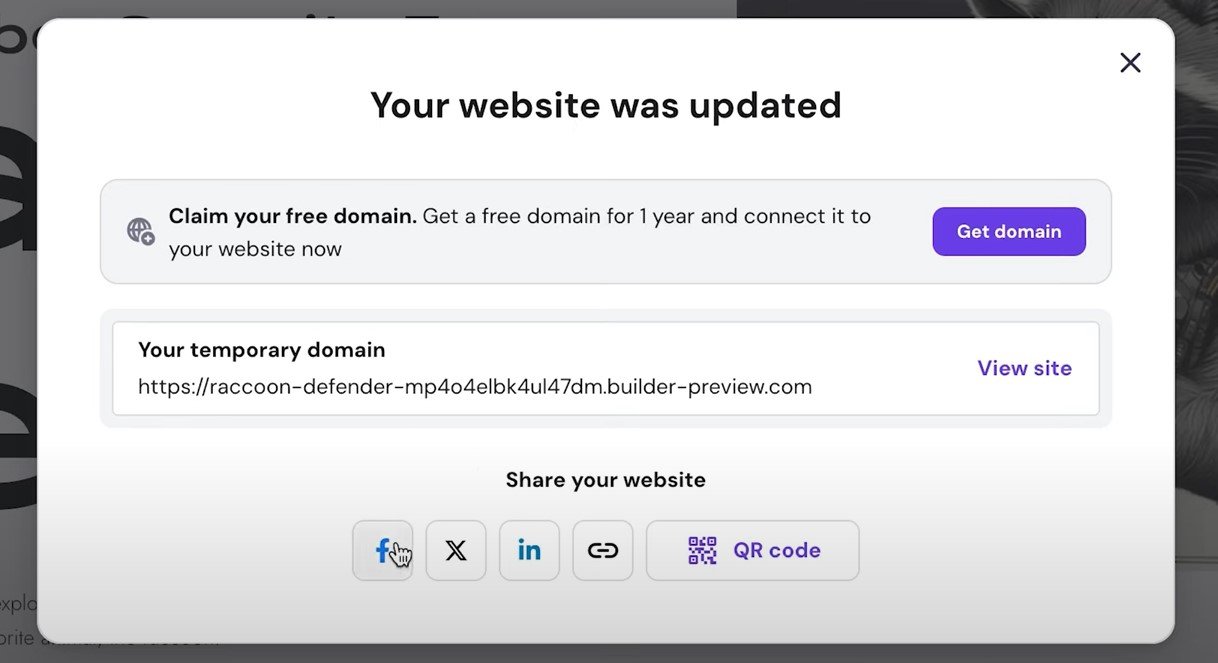
- Connect a Domain Name (Optional but Recommended): Most website builders offer a free subdomain (e.g., yourname.wixsite.com/mysite). For a more professional look, you can purchase a custom domain name (e.g., yourbusiness.com) through the builder or a third-party registrar and connect it to your website.
- Publish Your Website: Once you’re happy with your design and content, click the “Publish” button. Your website will then be live on the internet.
Steps to Create Your Website (Using WordPress.com):
- Sign Up at WordPress.com: Create an account and choose a plan that suits your needs.
- Select a Theme: Browse the available themes (many are free and professionally designed) and choose one you like. You can customize it later.
- Use the Block Editor (Gutenberg): WordPress.com uses a block-based editor, which is quite intuitive. You add different “blocks” for text, images, headings, galleries, videos, and more, and arrange them on your pages.
- Customize Your Theme: Use the customization options to change colors, fonts, layouts, and add your logo.
- Create Pages and Posts: Add your content by creating new pages (for static information like “About Us”) and posts (for blog articles).
- Organize Your Navigation: Set up menus to help visitors navigate your website.
- Consider SEO: WordPress.com has built-in SEO features. You can also use plugins (on higher-tier plans) for more advanced optimization.
- Connect a Domain Name: Similar to website builders, you can use a free WordPress.com subdomain or connect a custom domain.
- Launch Your Site: Once ready, make your website public.
Key Considerations for a Professional Website:
- Clear Purpose and Goals: What do you want your website to achieve? (e.g., inform, sell, showcase, connect).
- Target Audience: Who are you trying to reach? Design and content should appeal to them.
- Branding: Maintain consistent branding (logo, colors, fonts, tone) throughout your website.
- High-Quality Content: Use clear, concise, and engaging text, as well as professional images and videos.
- Easy Navigation: Make it simple for visitors to find what they’re looking for.
- Mobile Responsiveness: Ensure your website looks and functions well on all devices.
- Fast Loading Speed: Optimize images and content for quick loading times.
- Accessibility: Design your website to be usable by people with disabilities.
- Security: Choose platforms with good security measures and keep your website updated.
- Privacy Policy: If you collect any user data, you’ll likely need a privacy policy.
In 2025, creating a professional website quickly and easily is largely about leveraging the power and simplicity of website builders and user-friendly CMS platforms. Choose the method that best suits your technical skills and specific needs, and follow the steps outlined above to get your website online in no time!