
Creating a children’s storybook for Amazon Kindle Direct Publishing (KDP) using AI in 2025 can significantly streamline the process, but it’s crucial to understand the current capabilities and limitations of AI tools. Here’s a comprehensive guide:
Understanding the AI Landscape for Children’s Books :
By 2025, AI tools for content creation have likely advanced considerably. You can expect improvements in:
- Text Generation: More nuanced and age-appropriate storytelling, better handling of character development and plot.
- Image Generation: Higher quality, more consistent character design, and the ability to generate illustrations that match a specific style.
- Layout and Formatting: AI tools that can assist with page layout and formatting specifically for children’s books.
However, complete automation might still be challenging. Human oversight and creativity remain vital for crafting engaging and ethical children’s stories.
Steps to Create Your AI-Assisted Children’s Storybook:
1. Story Conception and Planning (Human-Driven):
- Target Age Group: Define the age range for your book (e.g., 2-4, 5-8). This will influence the complexity of the language, plot, and illustrations.
- Theme and Moral: Determine the core message or lesson you want to convey.
- Characters: Develop your main characters, including their personalities, appearances, and motivations.
- Plot Outline: Create a basic storyline with a beginning, rising action, climax, falling action, and resolution.
- Visual Ideas: Start thinking about the types of illustrations that would complement your story.
2. AI for Text Generation (Assisted):
- Choose an AI Writing Tool: Explore AI writing platforms that offer features for storytelling. Some popular options in 2025 might include advanced versions of:
- ChatGPT (OpenAI): With specific prompting, it can help generate story drafts, dialogue, and descriptions.
- Claude (Anthropic): Known for its narrative abilities and safety features.
- Specialized AI story generators that might emerge.
- Provide Detailed Prompts: The quality of your AI-generated text heavily depends on your prompts. Be specific about:
- Characters, setting, and plot points.
- The target age group and desired reading level.
- The tone and style of the story.
- Specific events or dialogue you want the AI to include.
- Iterate and Refine: The initial AI output will likely need significant editing and refinement. Focus on:
- Ensuring the story flows logically and is engaging for children.
- Checking for age-appropriateness of language and themes.
- Adding your own creative flair and voice.
- Ensuring consistent character personalities and plot development.
3. AI for Image Generation (Assisted):
- Choose an AI Image Generation Tool: Select an AI art generator capable of producing illustrations suitable for children’s books. Popular choices in 2025 might be advanced versions of:
- Midjourney: Known for its artistic and imaginative styles.
- DALL-E (OpenAI): Improving in coherence and detail.
- Adobe Firefly: Integrated with Adobe Creative Cloud for seamless workflow.
- Specialized AI image generators for children’s book styles.
- Generate Illustrations Based on Your Story: For each key scene or page, provide detailed prompts to the AI, including:
- The specific scene from your story.
- Descriptions of the characters, setting, and actions.
- The desired art style (e.g., cartoonish, watercolor, digital painting).
- Color palettes and overall mood.
- Maintain Consistency: This is a crucial challenge with AI image generation. Try to use consistent prompts and potentially “seed” images to maintain the look of your characters and world throughout the book. Some AI tools might offer features for character consistency.
- Post-Processing: You will likely need to use image editing software (like GIMP or even Canva) to:
- Refine colors and details.
- Ensure images are high resolution for printing.
- Make minor adjustments to character poses or expressions.
4. Layout and Formatting for Amazon KDP:
- Choose a Layout Tool: You can use:
- Amazon Kindle Kids’ Book Creator: A free tool from Amazon specifically designed for formatting children’s picture books for Kindle devices.
- Canva: Offers templates for children’s books and is user-friendly.
- Adobe InDesign: Professional software with more advanced layout options.
- Potentially AI-powered layout tools that might emerge.
- Integrate Text and Images: Carefully place your text and illustrations on each page. Consider the flow of the story and how the visuals enhance the narrative.
- Bleed Settings: Ensure your images extend beyond the trim lines of the page to avoid white edges in the printed book.
- Page Numbering: Include page numbers.
- Front and Back Matter: Add a title page, copyright page, and potentially an “About the Author” section.
5. Prepare Your Book for Amazon KDP:
- Review KDP Guidelines: Familiarize yourself with Amazon KDP’s formatting and submission requirements for children’s books.
- Proofread Thoroughly: Carefully check your text for any grammatical errors or typos. It’s beneficial to have someone else proofread as well.
- Image Resolution: Ensure your images meet KDP’s recommended resolution for print quality.
- File Formats: Save your book as a PDF for print and potentially EPUB or MOBI for Kindle devices (though picture books are often fixed-layout PDFs).
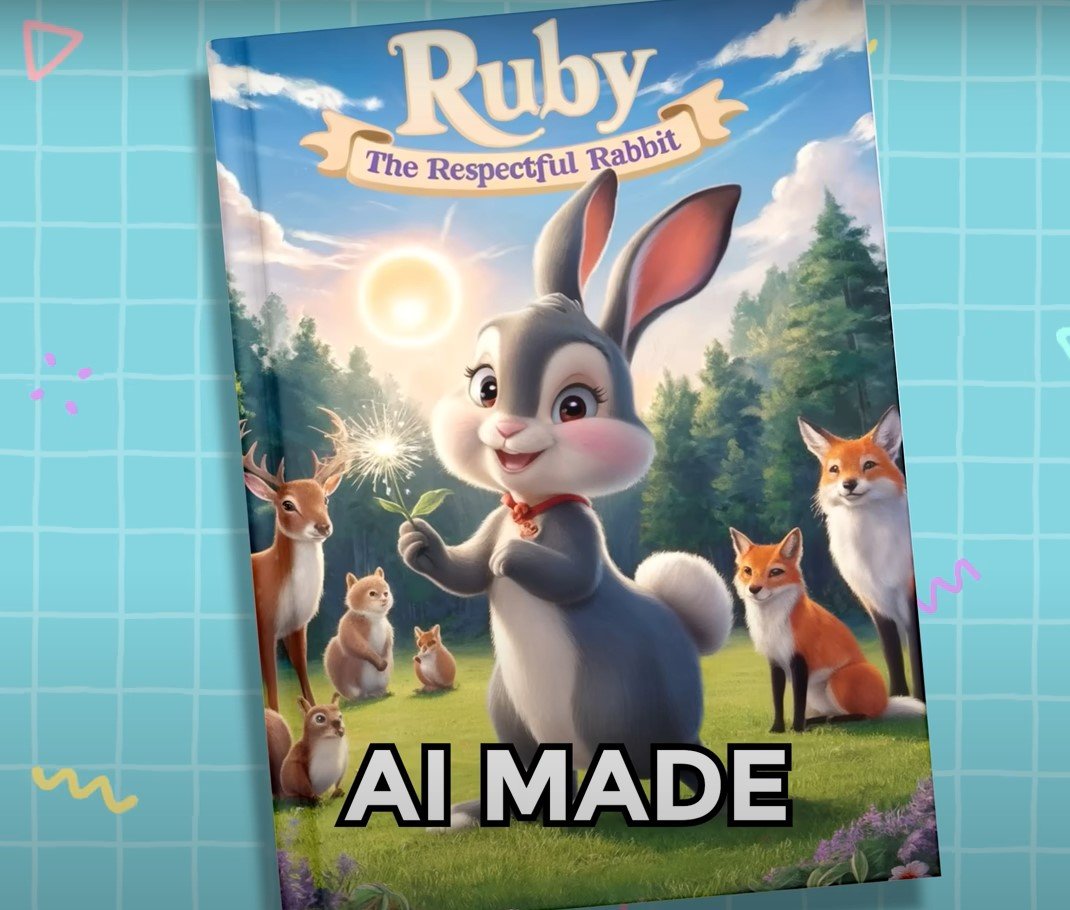
- Book Cover Design: You can use AI to generate cover concepts, but ensure the final design is eye-catching and appealing to your target audience. Pay attention to KDP’s cover size specifications.
6. Publishing on Amazon KDP:
- Create an Amazon KDP Account: If you don’t already have one.
- Follow the KDP Submission Process: Upload your manuscript and cover file.
- Enter Book Details: Provide your book title, author name, description, keywords, categories, and pricing.
- Set Rights and Territories: Choose where you want to sell your book.
- Review and Publish: Carefully review all the details before publishing your book.
Ethical Considerations and Best Practices:
- Transparency: Consider whether and how you want to disclose the use of AI in your book creation process.
- Originality: Ensure your story concept and the overall creative direction are your own. AI should be a tool to assist, not replace your creativity.
- Copyright: Be aware of the copyright implications of using AI-generated content. Understand the terms of service of the AI tools you use.
- Quality Control: AI-generated content can sometimes have inconsistencies or errors. Thorough human review is essential.
- Target Audience Appropriateness: Carefully evaluate if the AI-generated content is truly suitable for children in your target age group.
In Conclusion:
Creating a children’s storybook for Amazon KDP using AI in 2025 offers exciting possibilities for streamlining the creation process. However, it’s crucial to approach it as an AI-assisted endeavour. Your creative vision, careful planning, thorough editing, and attention to detail remain paramount to producing a high-quality and engaging book that resonates with young readers. Embrace AI as a powerful tool, but always maintain human oversight to ensure the best possible outcome.