
Alright, let’s get your WordPress website ranking higher on Google! Even if you’re a complete beginner to SEO (Search Engine Optimization), these steps are designed to be easy to understand and implement in 2025.
The Core Principles of Google Ranking:
Think of Google as trying to provide the best and most relevant answers to people’s search queries. To rank well, your website needs to demonstrate these qualities. This involves:
- Relevance: Your content needs to closely match what people are searching for.
- Authority: Google needs to trust that your website is a credible and reliable source of information.
- User Experience: Visitors should find your website easy to use, fast-loading, and engaging.
WordPress SEO for Beginners: Essential Steps
1. Set Up Your WordPress Site for SEO Success:
- Choose a Good Hosting Provider: Speed and uptime are crucial for SEO. Opt for a reliable hosting provider optimized for WordPress.
- Select an SEO-Friendly Theme: Many WordPress themes are designed with SEO best practices in mind (e.g., clean code, mobile responsiveness). Research themes specifically advertised as SEO-friendly.
- Configure Your Permalink Structure: Go to Settings > Permalinks in your WordPress dashboard. Choose the “Post name” option. This creates clean, readable URLs that include your keywords (e.g.,
yourdomain.com/best-hiking-trails).
2. Install a Powerful SEO Plugin:
SEO plugins simplify many technical aspects of SEO. Two of the most popular and beginner-friendly options in 2025 are:
- Yoast SEO: Offers comprehensive features for content optimization, meta descriptions, XML sitemaps, and more.
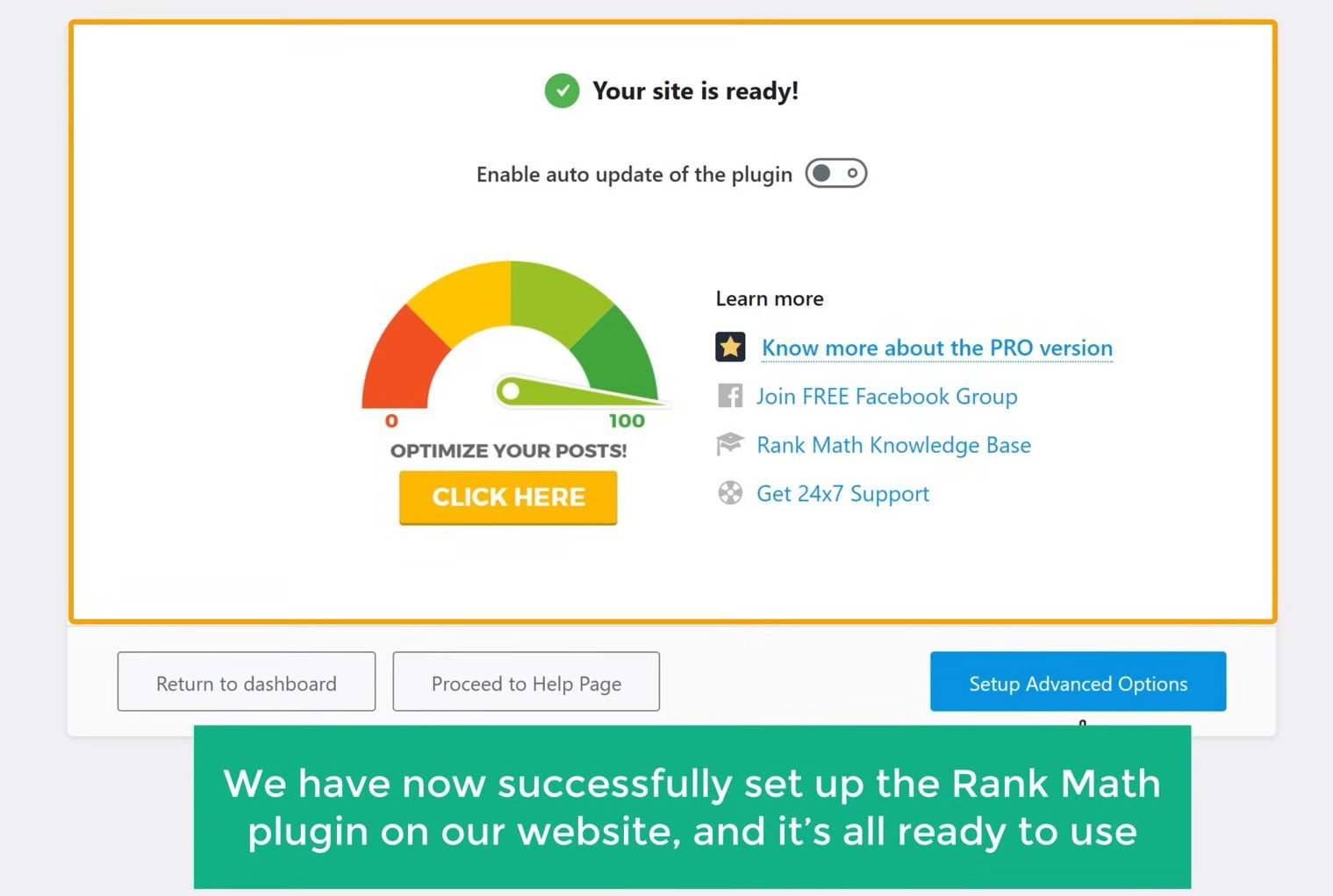
- Rank Math SEO: Another excellent plugin with similar features, often praised for its user-friendliness and built-in keyword tracking (on some plans).
Install and activate your chosen plugin. Follow their initial setup wizards.
3. Keyword Research: Understanding What People Search For:
- Brainstorm Relevant Topics: Think about what your website is about and what problems it solves for your audience. What terms would they type into Google?
- Use Keyword Research Tools (Many Offer Free Tiers):
- Google Keyword Planner: Requires a Google Ads account (even if you don’t run ads). Provides search volume data.
- Ubersuggest (Neil Patel): Offers keyword suggestions and content ideas.
- AnswerThePublic: Visualizes questions people are asking around a specific keyword.
- Identify Long-Tail Keywords: These are longer, more specific phrases (e.g., “best hiking boots for rocky terrain”). They often have lower competition and can attract highly targeted traffic.
- Analyze Your Competitors: See what keywords your competitors are ranking for using tools like SEMrush or Ahrefs (these are often paid but offer valuable insights).
4. On-Page SEO: Optimizing Your Content:
This is about making each page and post on your website SEO-friendly. Your chosen SEO plugin will guide you through many of these steps.
- Optimize Your Title Tags and Meta Descriptions:
- Title Tag: The main headline that appears in search results. Keep it under 60 characters and include your primary keyword.
- Meta Description: The short snippet of text below the title tag. Aim for under 160 characters and write compellingly to encourage clicks.
- Your SEO plugin will have fields to enter these for each page/post.
- Use Keywords Naturally in Your Content: Incorporate your target keywords throughout your text, but make sure it reads naturally for humans. Don’t stuff keywords!
- Optimize Your Headings (H1-H6 Tags): Use headings to structure your content logically. Use your primary keyword in at least one H1 (usually the page title) and relevant secondary keywords in subheadings (H2, H3, etc.).
- Optimize Your Images:
- Use Descriptive File Names: Instead of “image001.jpg,” use “best-hiking-boots-rocky-terrain.jpg.”
- Add Alt Text: This describes the image to search engines and screen readers. Include relevant keywords where appropriate.
- Internal Linking: Link to other relevant pages and posts on your own website. This helps Google understand your site structure and distributes link equity.
- External Linking: Link out to high-quality, authoritative websites when it adds value to your content. This can signal to Google that you’re part of a larger web ecosystem.
- Content Quality and Length: Create high-quality, in-depth content that fully addresses the user’s search intent. Longer, comprehensive content often ranks better. Ensure your content is well-written, easy to read, and engaging.
5. Technical SEO: Making Your Website Easy for Google to Crawl and Understand:
- XML Sitemap: This file lists all the important pages on your website, helping Google find and crawl them. Your SEO plugin usually creates and updates this automatically. Submit your sitemap to Google Search Console.
- Robots.txt File: This file tells search engine crawlers which pages they should and shouldn’t access. Your SEO plugin can often help you manage this.
- Mobile-Friendliness: In 2025, having a mobile-responsive website is non-negotiable. Google prioritizes mobile-first indexing. Ensure your theme is responsive and test your site on different devices.
- Website Speed: A fast-loading website improves user experience and is a ranking factor.
- Optimize Images: Compress images without sacrificing too much quality.
- Use a Caching Plugin: Plugins like WP Rocket or LiteSpeed Cache can significantly improve loading times.
- Choose a Fast Hosting Provider.
- Minimize HTTP Requests: Reduce the number of elements your page needs to load.
- HTTPS: Make sure your website is using HTTPS (SSL certificate). This provides a secure connection for your visitors and is a ranking signal. Most hosting providers offer free SSL certificates.
6. Off-Page SEO: Building Authority and Trust:
This involves activities outside your website that help build your site’s reputation.
- Earning High-Quality Backlinks: These are links from other reputable websites to yours. Think of them as votes of confidence. Focus on earning backlinks naturally by creating valuable content that others want to link to.
- Guest Blogging: Write articles for other relevant websites in your niche.
- Resource Pages: Get your website listed as a resource on other relevant sites.
- Broken Link Building: Find broken links on other websites and suggest your relevant content as a replacement.
- Brand Mentions: Even unlinked mentions of your brand can contribute to your authority.
- Social Signals: While not a direct ranking factor, active and engaging social media presence can indirectly help with visibility and traffic.
7. Monitor Your Progress with Google Search Console and Google Analytics:
- Google Search Console: This free tool provides valuable insights into how Google sees your website. You can track your site’s performance in search results, identify errors, submit your sitemap, and more.
- Google Analytics: This tool helps you understand your website traffic, user behavior, and conversions. This data can inform your SEO strategy.
Key Takeaways for WordPress SEO Beginners:
- Focus on Creating High-Quality, User-Focused Content: This is the foundation of good SEO.
- Be Patient and Consistent: SEO takes time and effort. Don’t expect overnight results.
- Stay Updated: The SEO landscape is constantly evolving. Follow reputable SEO blogs and resources to stay informed about the latest best practices.
- Start Small and Build Gradually: Don’t try to implement everything at once. Focus on the most important foundational elements first.
- Use Your SEO Plugin Wisely: It’s a powerful tool, but understand what each feature does.
By following these steps, you’ll be well on your way to improving your WordPress website’s ranking on Google and attracting more organic traffic. Good luck!